How to set up GPS functionality
Recommended environment
Access to the stamp rally is via the website "less-ar.com".
Please be sure to access the site from the following environments and devices as browser and OS version requirements are required.
<iOS devices>
Browser: Latest version of Safari
OS version iOS 15 or later
<Android devices>
Browser: Latest version of Google Chrome
OS version: Android OS 10.0 or later
The standard browser on Android devices is not supported.
For iOS
Please note that the screen display may differ depending on the device you are using.
-
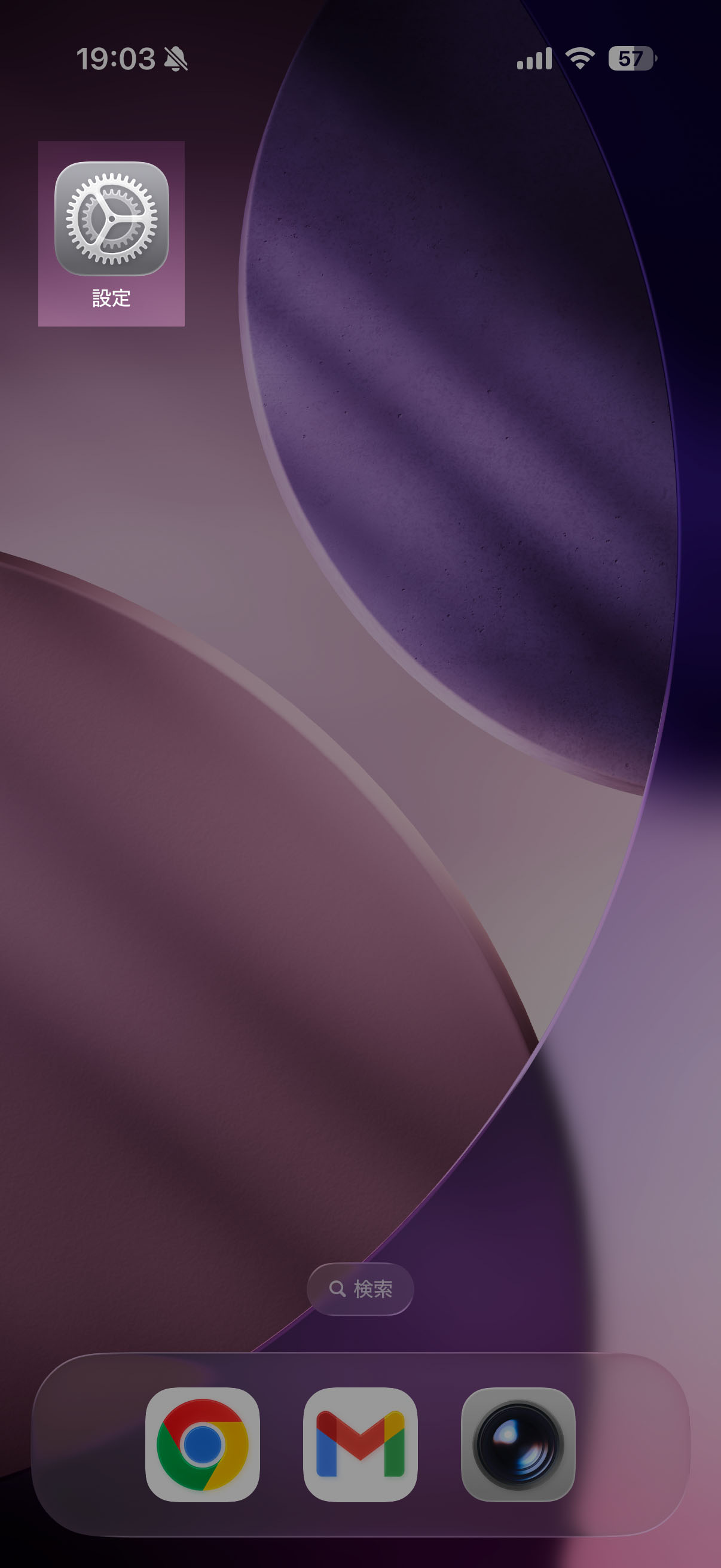
1. Tap the "Settings" icon on iOS.
-
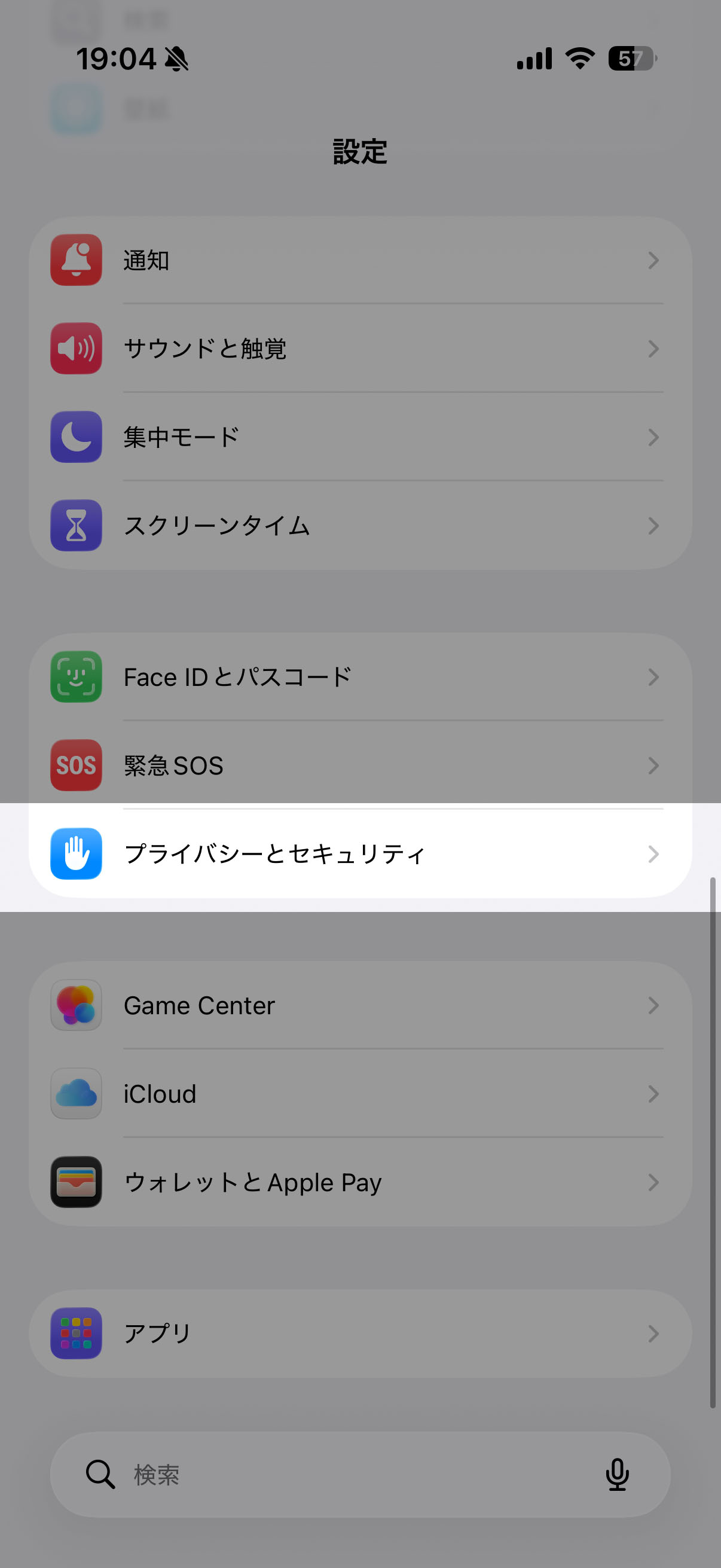
2. Select "Privacy and Security"
-
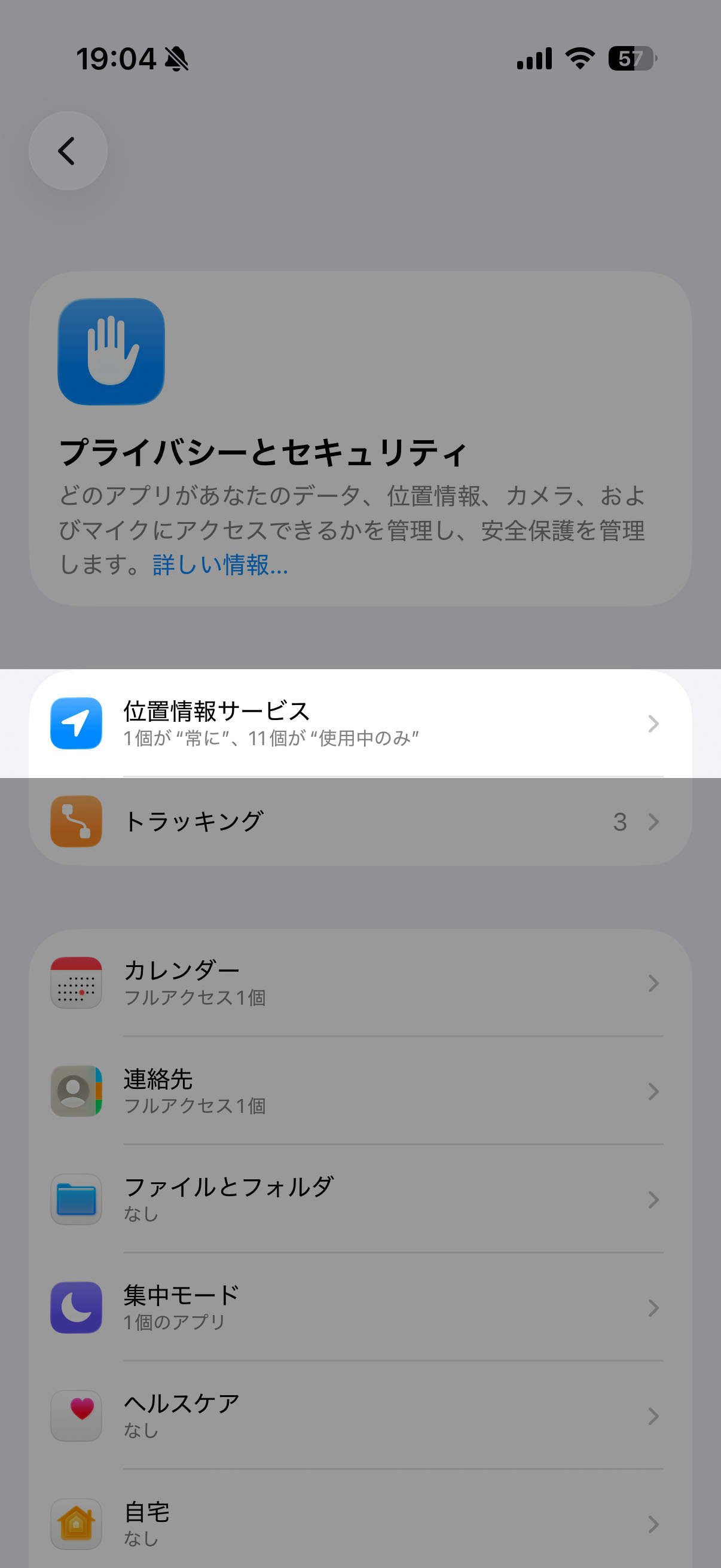
3. Select "Location Services"
-
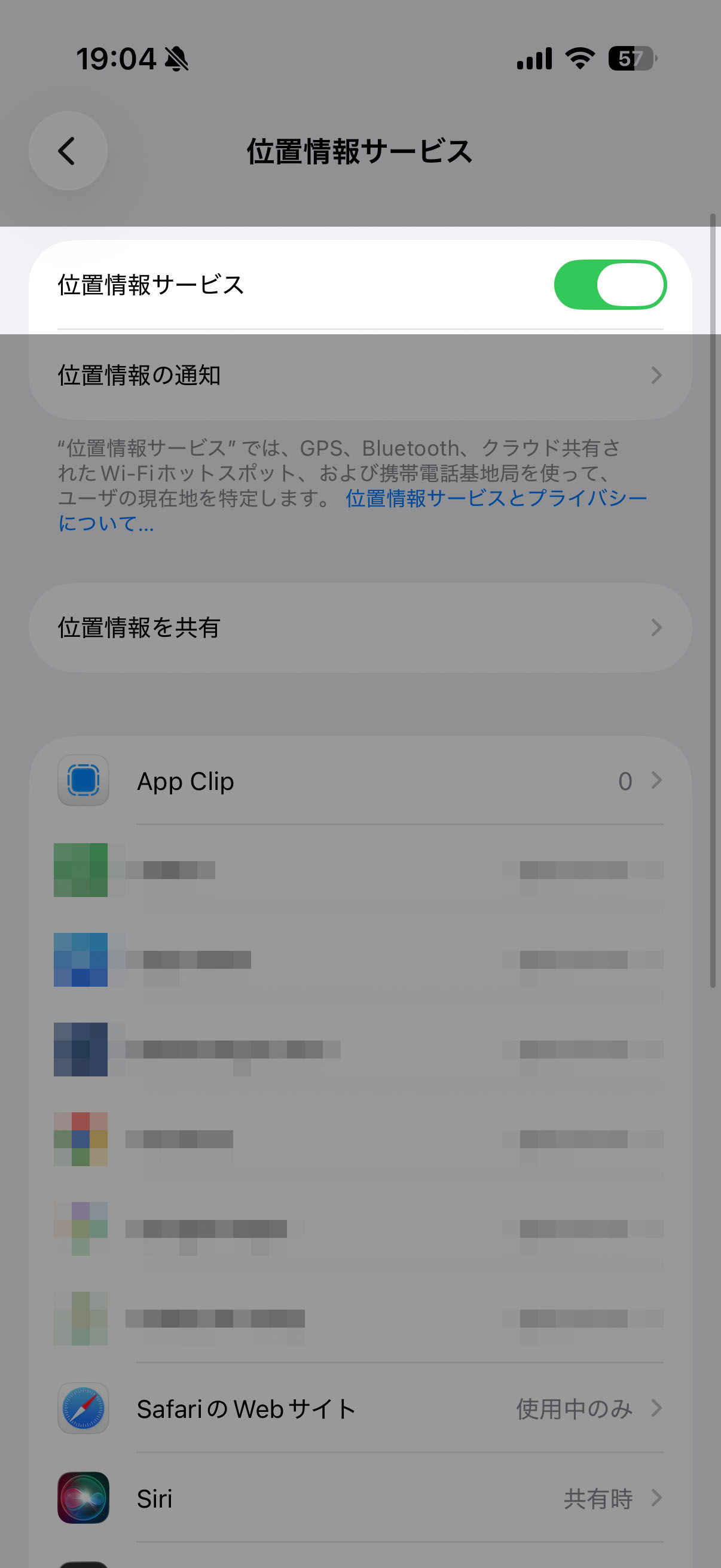
4. Turn on "Location Services".
-
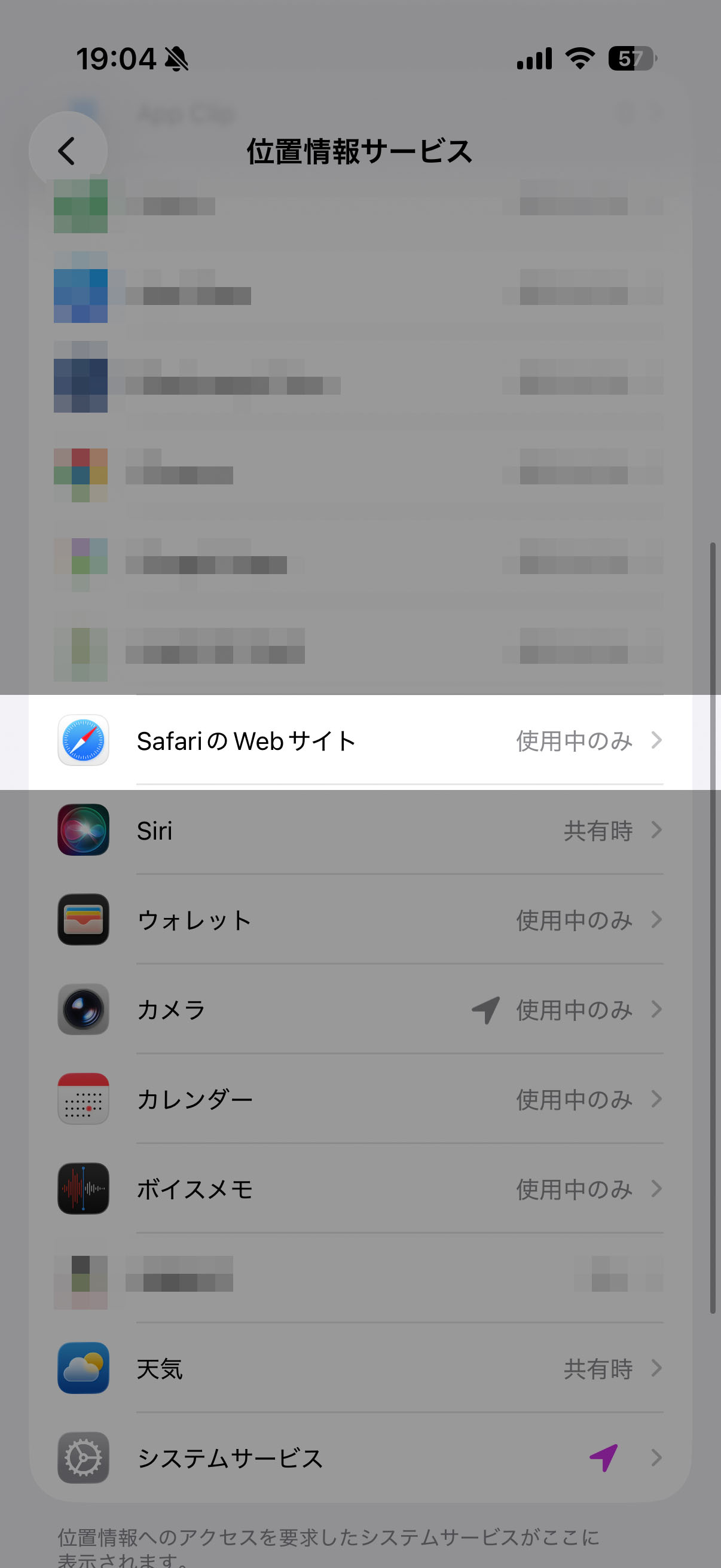
5. Scroll to the bottom of the screen and select "Safari Website".
-
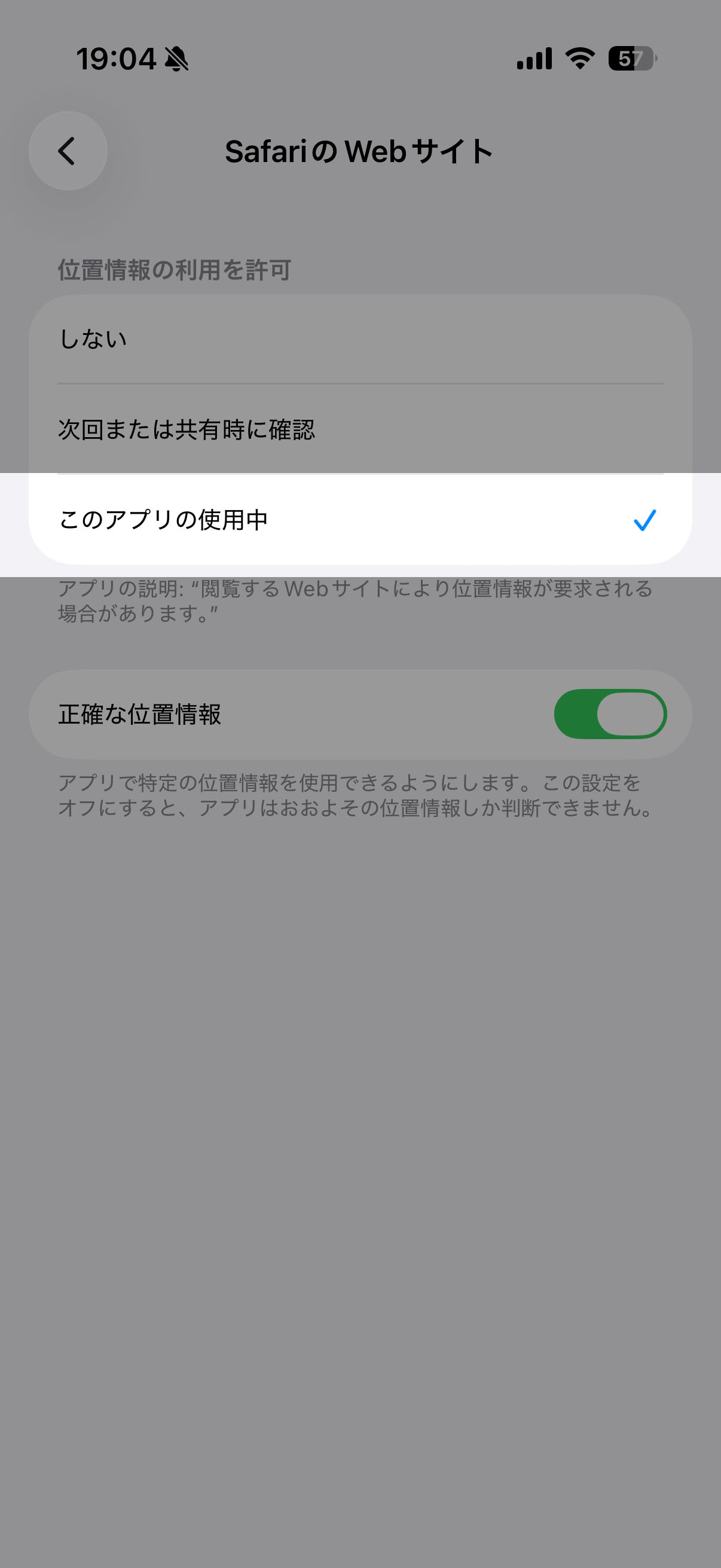
6. Select "Currently using this app"
[After accessing the stamp rally page]
-
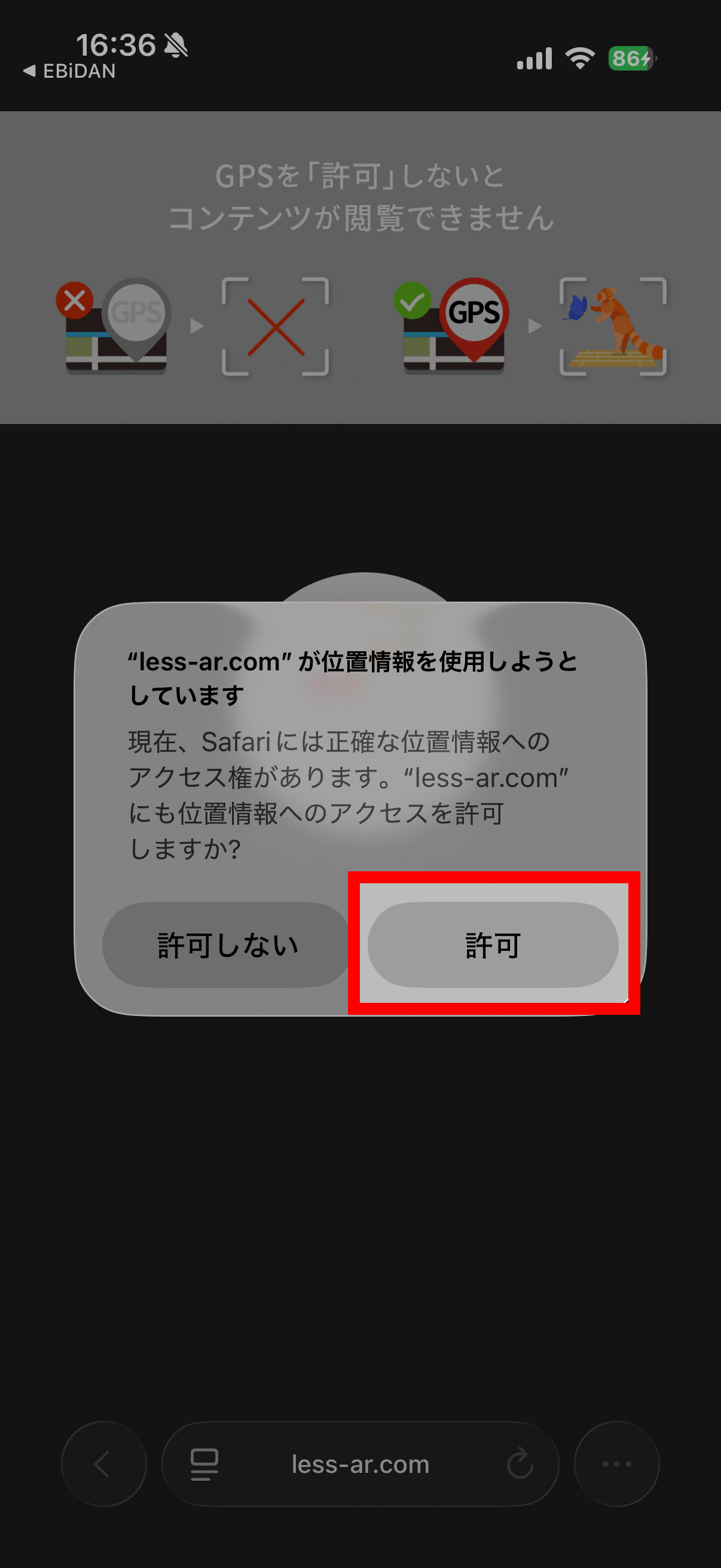
1. Select "Allow" for location services.
-
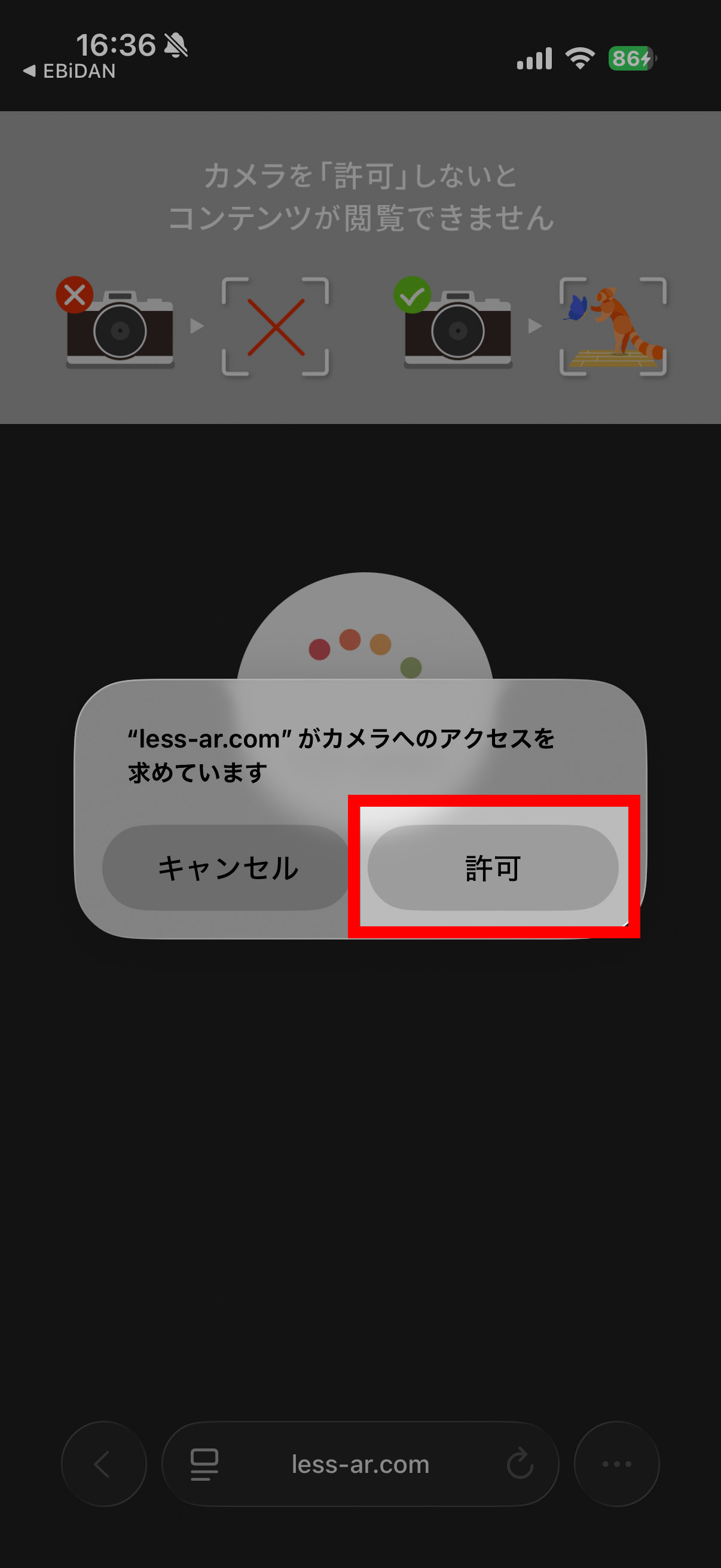
2. Select "Allow" to access the camera.
For Android
Please enable both the "System" and "Browser" settings by following these steps.
Please note that the screen display may vary depending on the device you are using.
[System Settings]
-
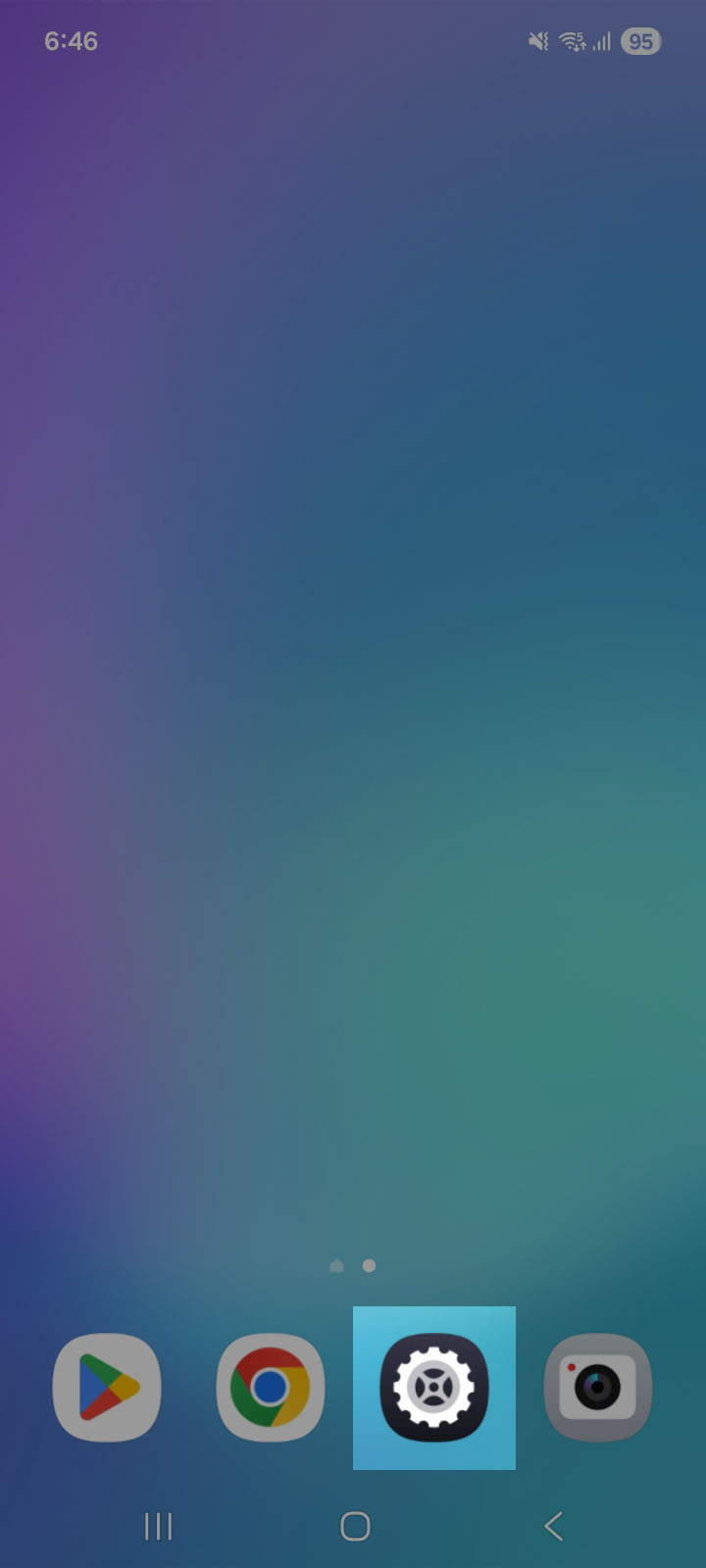
1. Tap the "Settings" icon on your Android device.
-
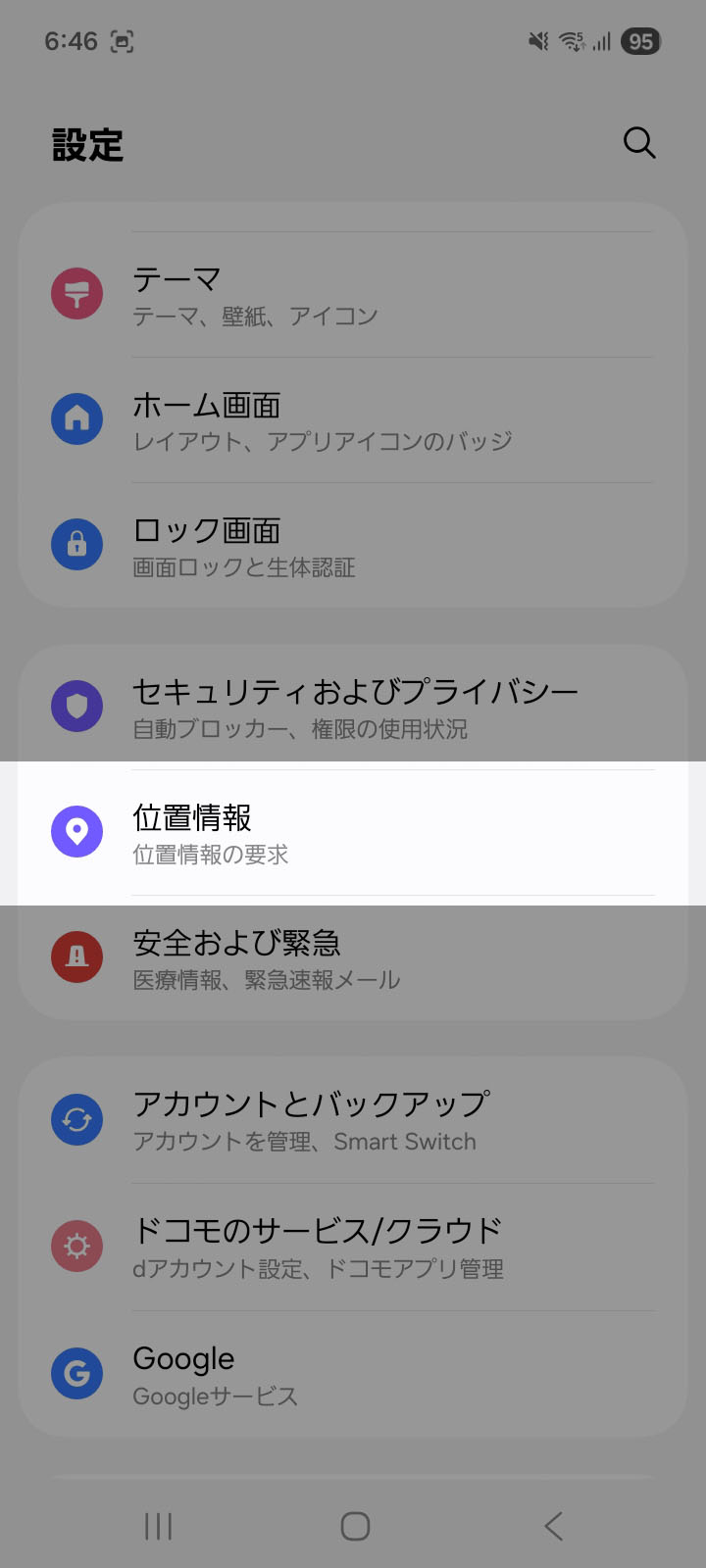
2. Select "Location Information"
-
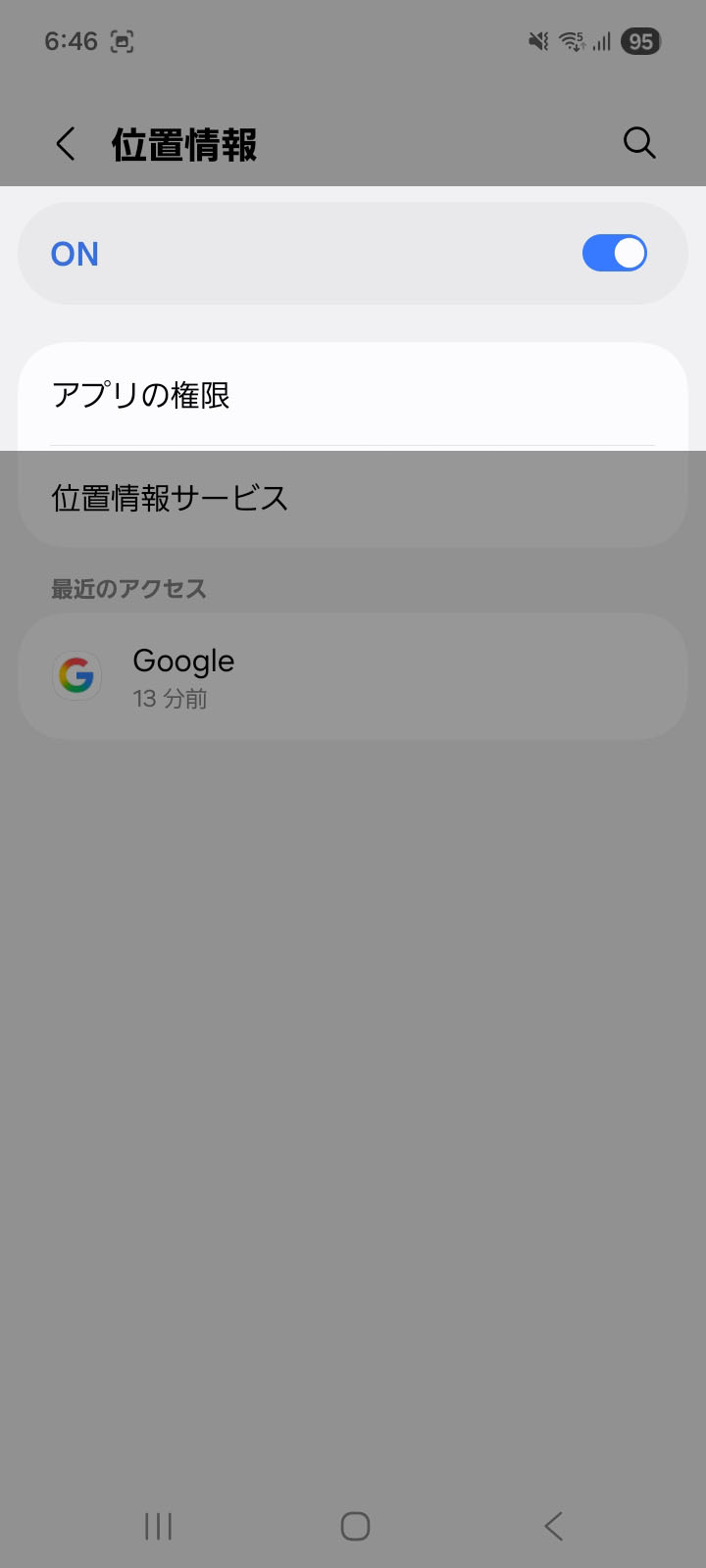
3. Turn on "Location Services" and select "App Permissions".
-
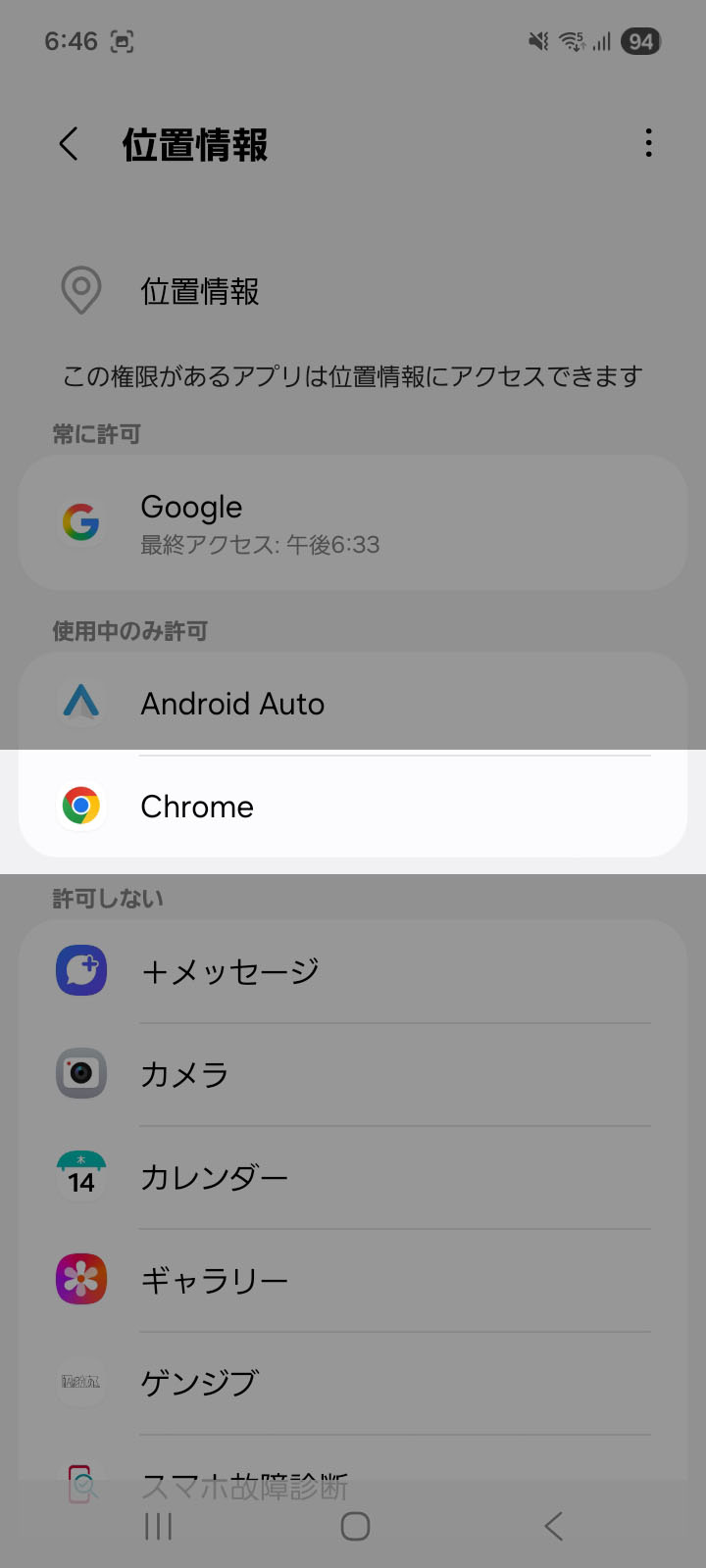
4. Select "Chrome"
-
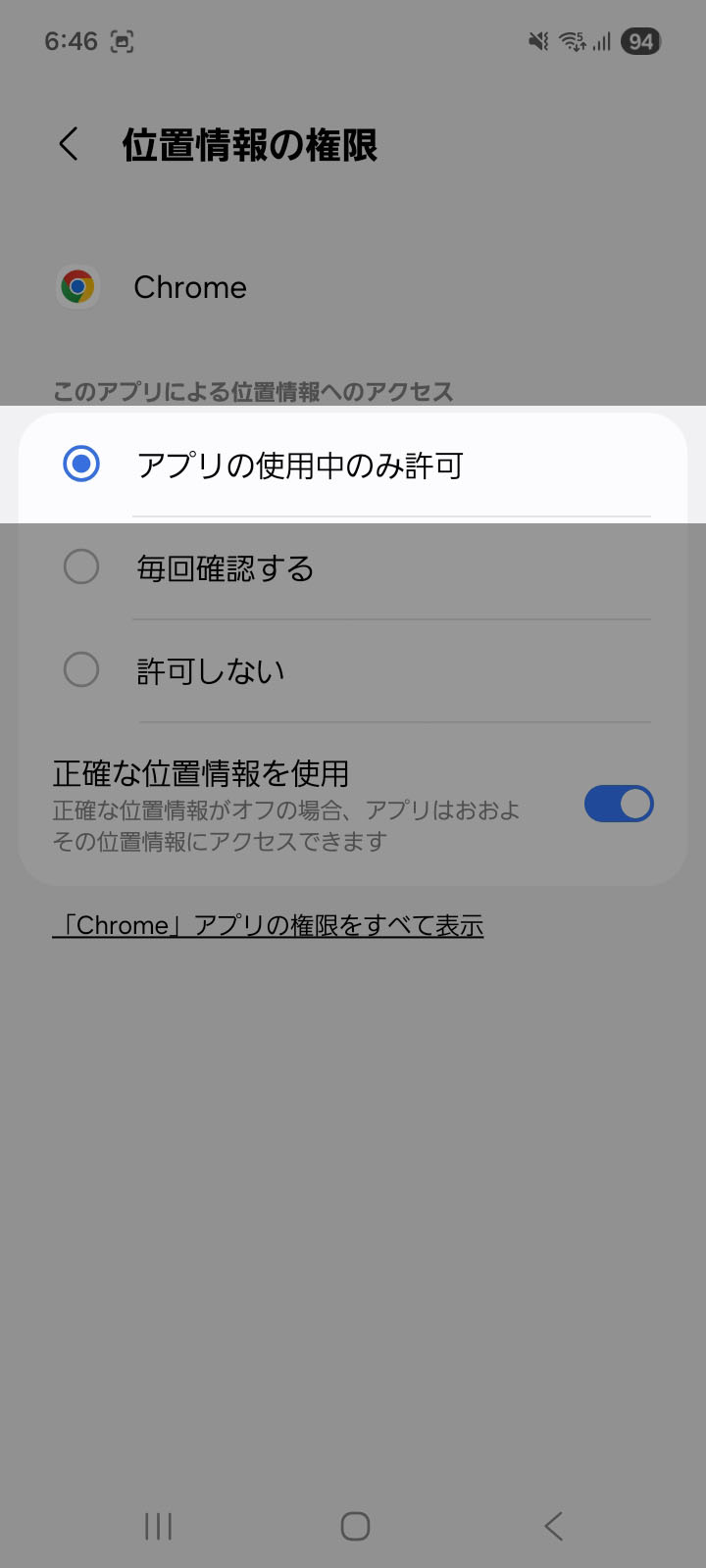
5. Select "Allow while using the app".
[Browser Settings]
-
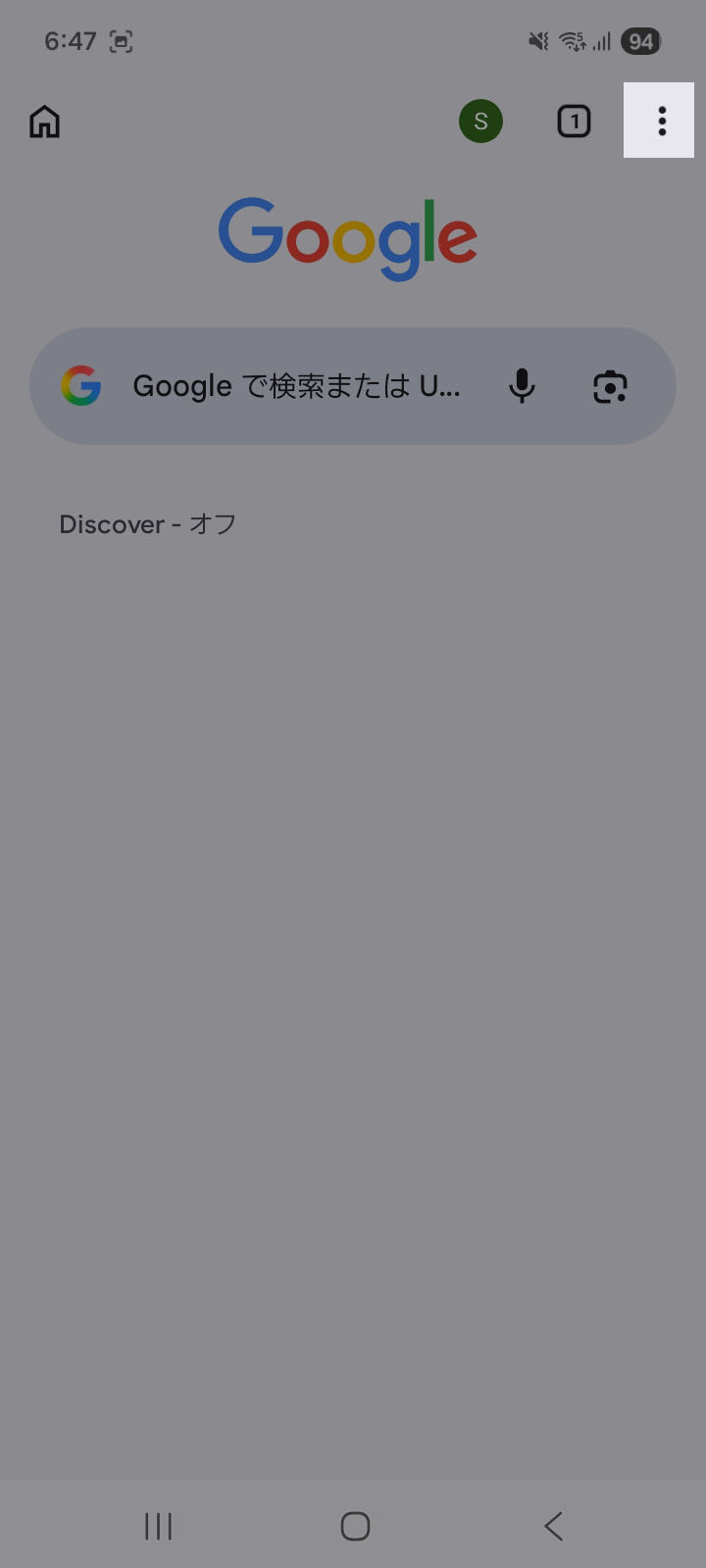
1. Tap the menu icon in the upper right corner of Google Chrome.
-
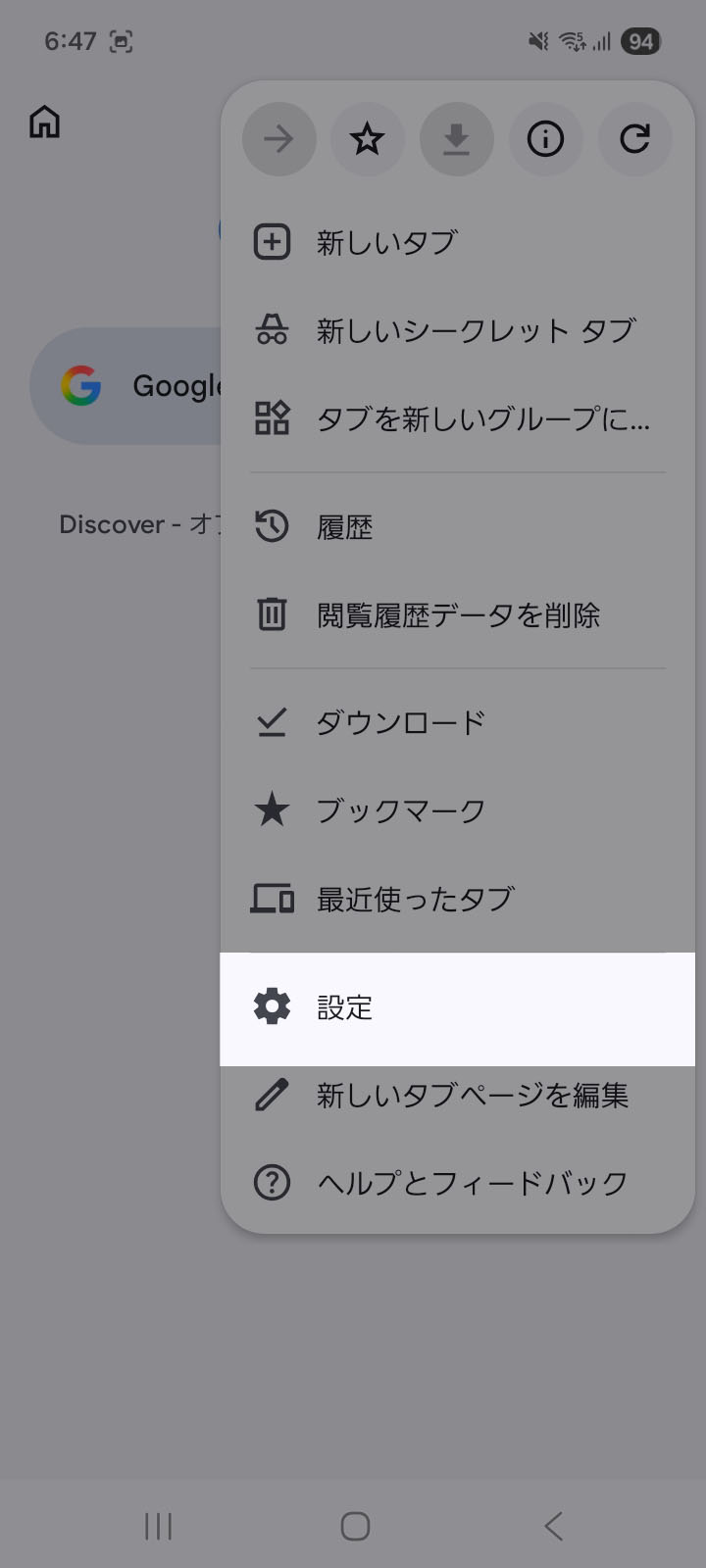
2. Select "Settings"
-
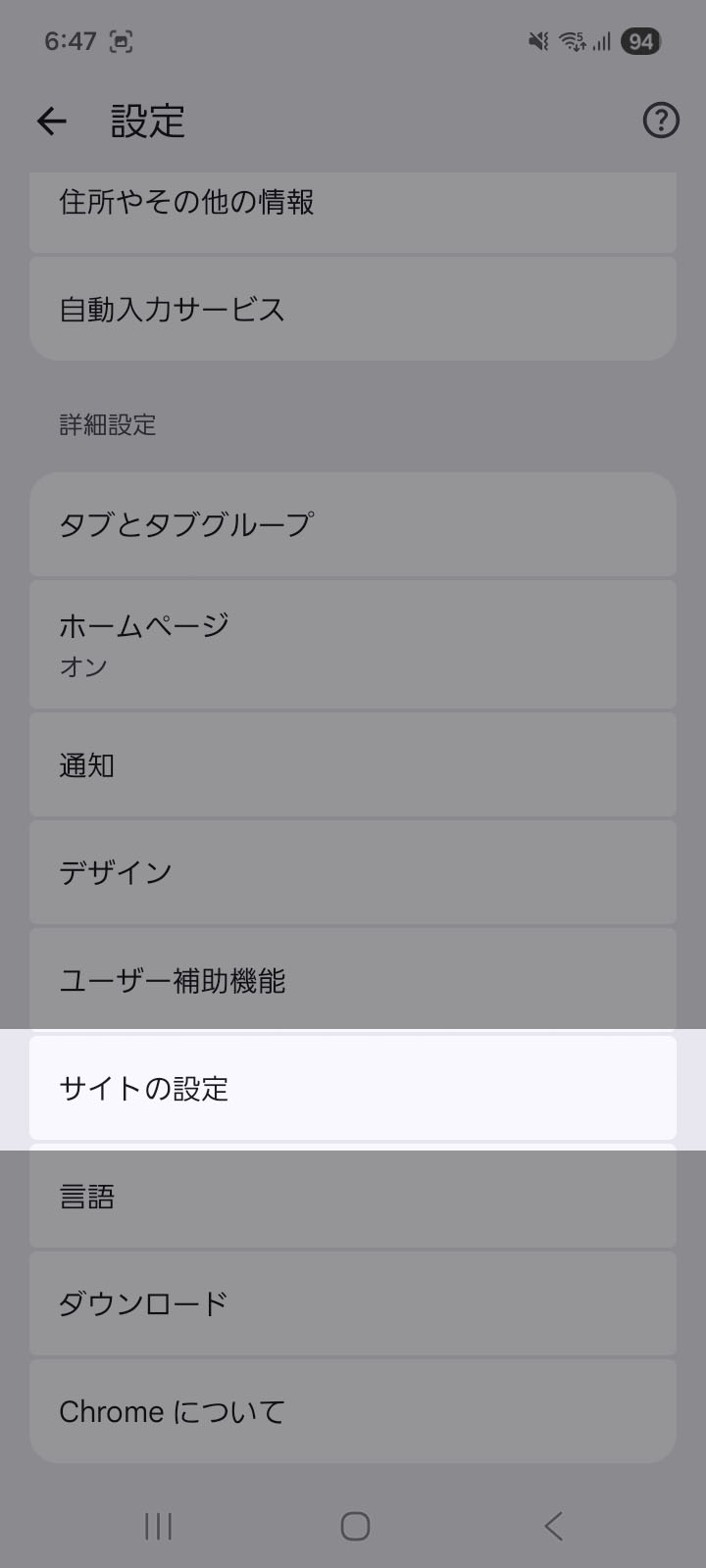
3. Select "Site Settings"
-
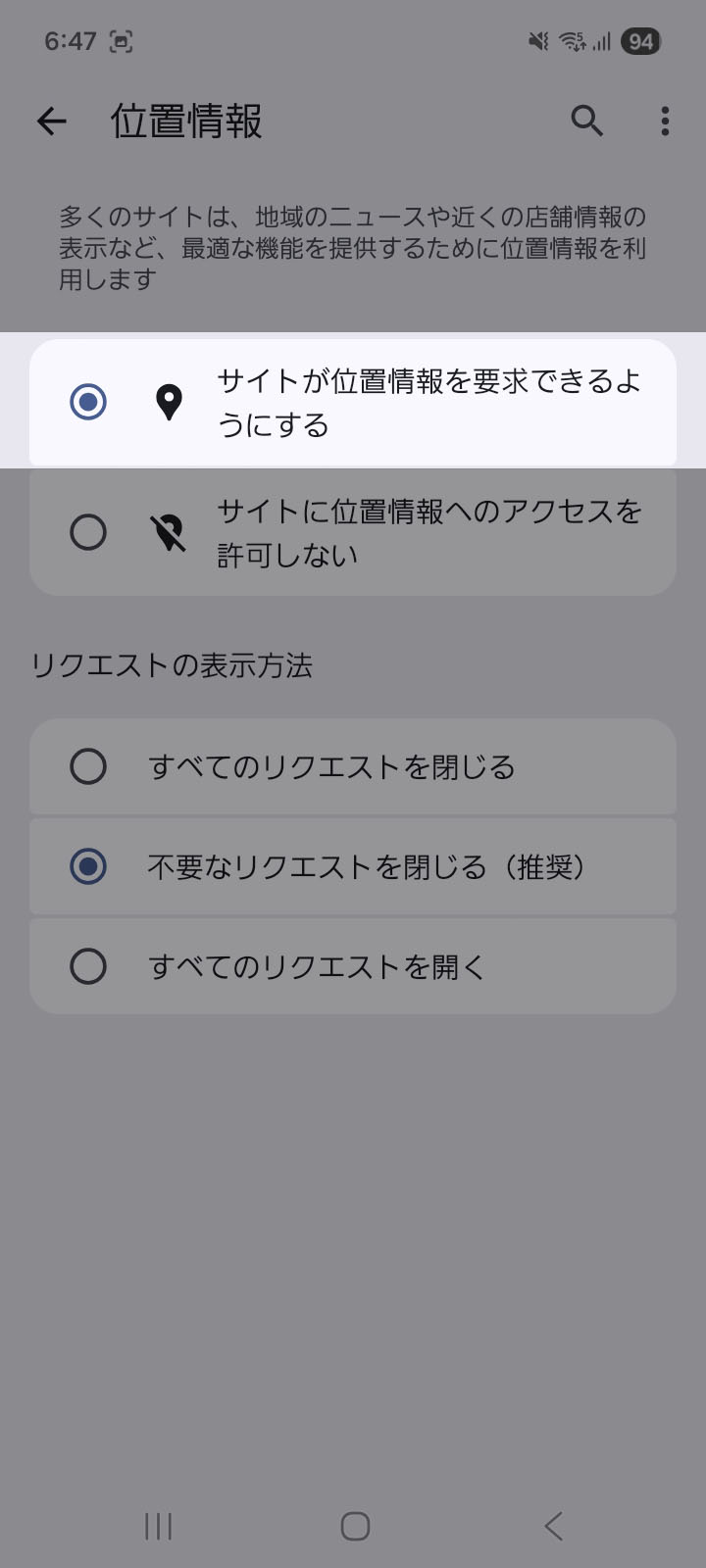
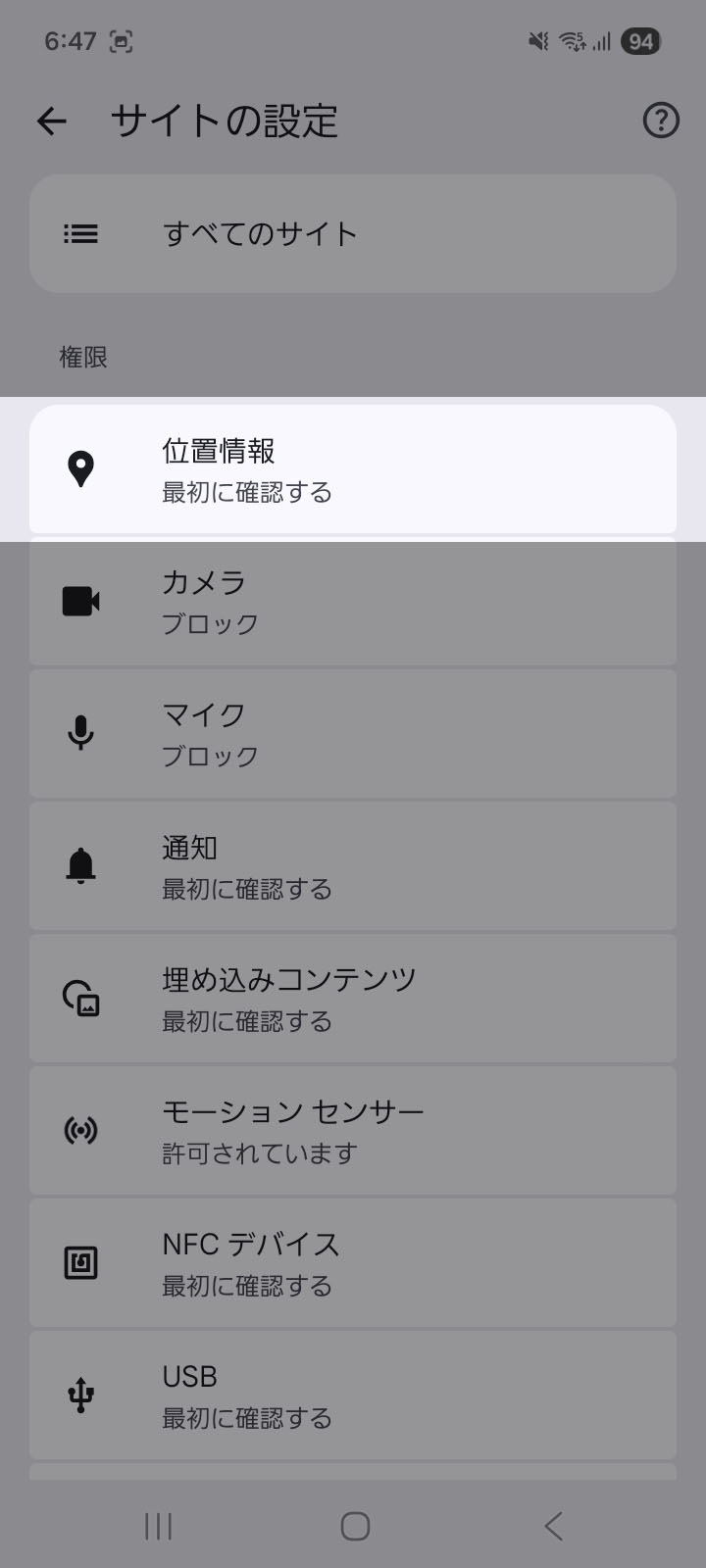
4. Select "Location Information"
-
5. Select "Allow sites to request your location."