
- ONE N' ONLY
"October SCRATCH 2024" to be held!
2024.10.27
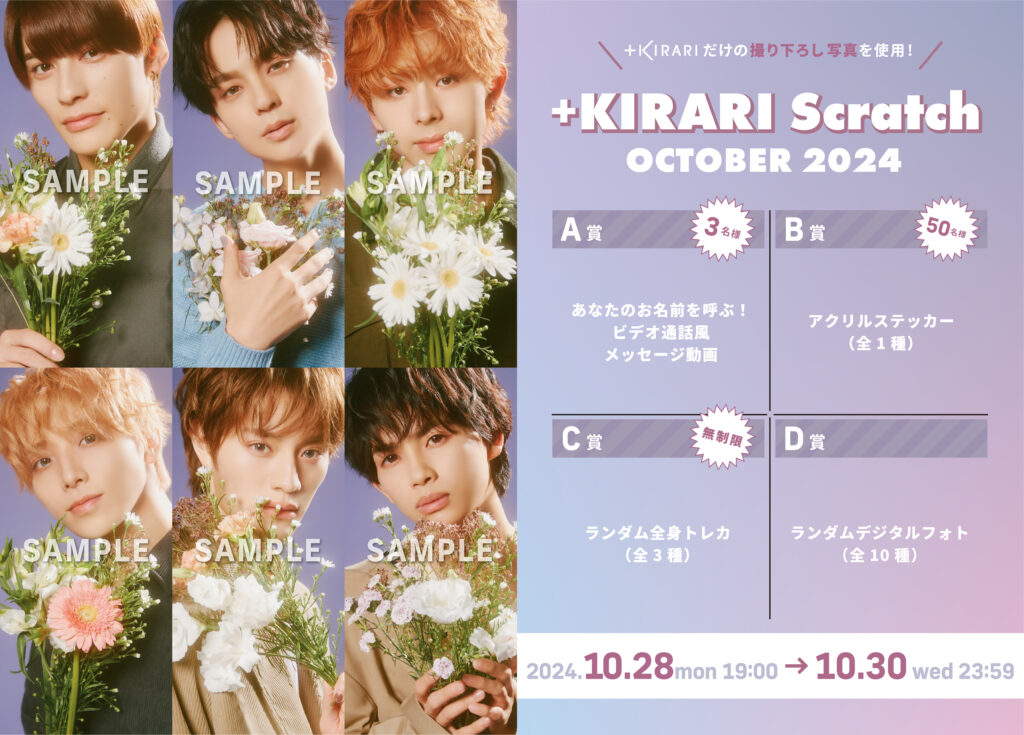
We will hold 'October SCRATCH 2024' on October 28th (Monday) at 19:00!
Please join us!
▼ONE N’ ONLY Member Community
https://linktr.ee/kirari_ono
●Event period●
From October 28 (Monday) 19:00 to October 30 (Wednesday) 23:59
*When the scratch is held at the above time, the “Scratch Mark” will appear in the top right corner of the screen or the “Scratch in progress! Green button” will appear at the bottom of the screen.
●Points●
1 time: 15 points
*Please note that there will be no free points awarded for this scratch card.
●Prizes●
Prize A: We will call your name! Video call style video <3 winners for each member>
B Prize: Acrylic Sticker <1 type for each member / 50 pieces available for each member>
C Prize: Full-body trading cards <3 types for each member / random / unlimited>
Prize D: October Digital Photos <10 types for each member / random / unlimited>
Prizes won cannot be exchanged, given to others, or resold.
Please note that if any of the above is discovered, your membership may be terminated.
[How to purchase points]
▼ When paying online (online is more economical!)
1. Log in to the web at https://bit.ly/3iZ4w1W
* When logging in, please make sure to log in with the account you are using.
2. Click [Manage] (or tap on smartphone)
3. [Purchase Points] will be displayed at the bottom of the screen, so click (or tap on a smartphone) the price column for the points you want.
4-1. [If your credit card information has already been registered] You will be asked to confirm your age.
4-2. [If credit card information has not been registered] A screen for entering credit card information will be displayed. Follow the instructions to enter your information and make a purchase.
*You can purchase points at a better price than with app payments, and you will also receive free points.
*Depending on the points you purchase, there are the same sales amount and free points as for app payments. Please check the point purchase screen for details.
If you do not have a credit card, you can also use a prepaid card.
▼In case of app payment
1. Display your digital membership card within the app
2. Tap the gear icon in the upper right
3. Tap the [Purchase Points] option and select the price of points you want.
●Notes●
・Please check that the name, address, and phone number you registered are correct.
・If you live in an apartment or condominium, be sure to register your room number as well.
The post "October SCRATCH 2024" to be held! first appeared on ONE N' ONLY.