
- ICEx
"🎄Christmas Scratch🎄" to be held!
2025.12.24
[+KIRARI] "🎄Christmas Scratch🎄" to be held in ICEx member solo community!
We have decided to hold a Christmas scratch event where you can see ICEx dressed in a tuxedo costume, looking a little different from usual and grown-up🌹✨
Enjoy this special scratch card that's only available this season 🎄🌠
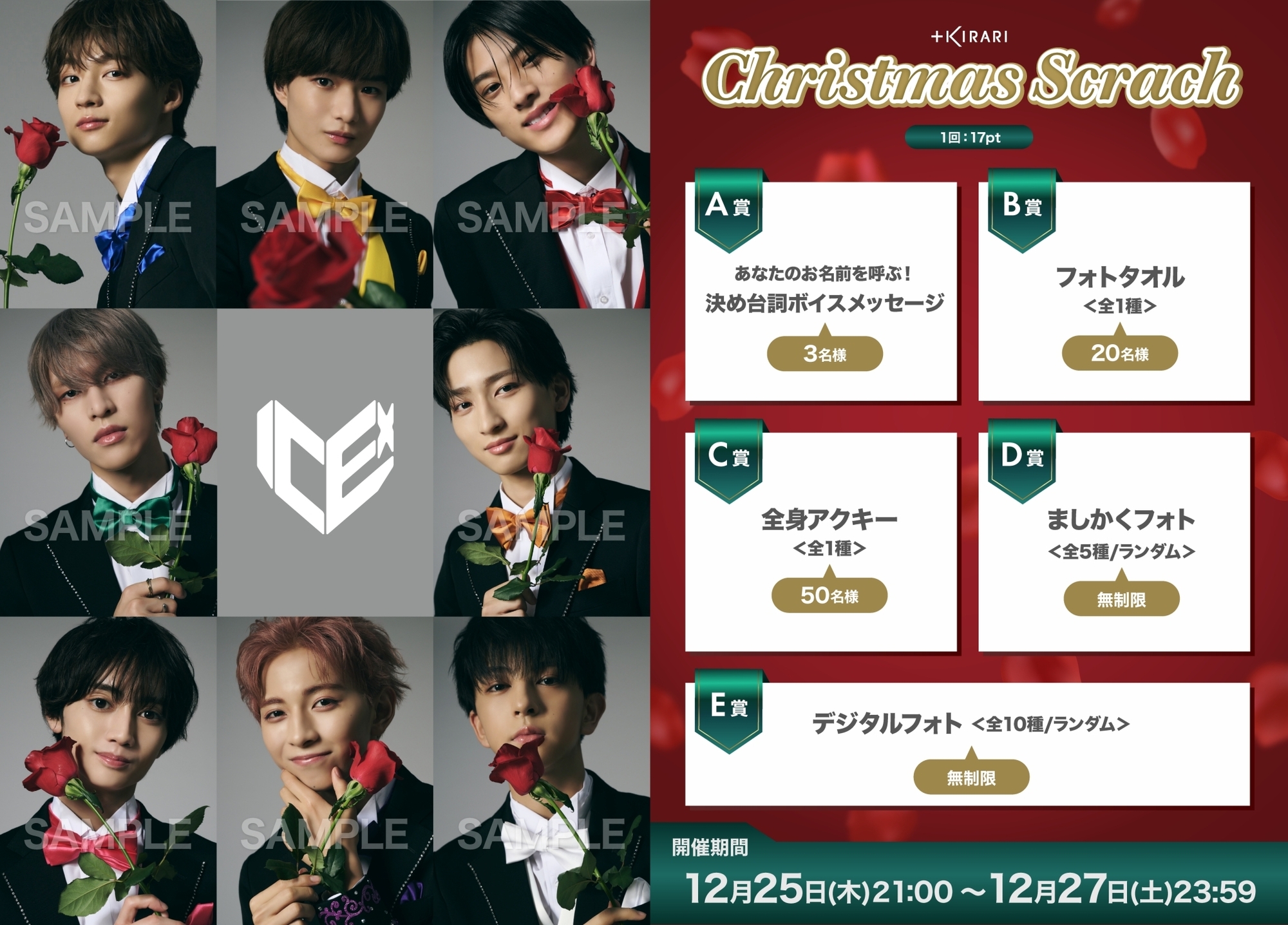
▼ ICEx member solo community
https://linktr.ee/kirari_icex
1 time: 17 points
+++++
A Prize: I'll call your name! Catchphrase voice message (3 winners)
B Prize: Photo towel (1 type / 20 winners)
C Prize: Full-body acrylic key chain (1 type / 50 winners)
D Prize: Square Photo (5 types in total/unlimited)
E Prize: Digital Photos (10 types in total/unlimited)
+++++
Event period: Thursday, December 25th, 9:00 PM - Saturday, December 27th, 11:59 PM
When the scratch card is held at the above time, a "Scratch Card Mark" will appear in the top right corner of the screen, or a green button that says "Scratch Card Now Open!" will appear at the bottom of the screen.
As a general rule, winning prizes cannot be exchanged, sold, or resold.
Please note that if any of these acts are discovered, your membership may be terminated.
[How to purchase points]
▼ When paying online (online is more economical!)
1. Log in to the web at https://bit.ly/3iZ4w1W
* When logging in, please make sure to log in with the account you are using.
2. Click [Manage] (or tap on smartphone)
3. [Purchase Points] will be displayed at the bottom of the screen, so click (or tap on a smartphone) the price column for the points you want.
4-1. [If your credit card information has already been registered] You will be asked to confirm your age.
4-2. If credit card information is not registered, a screen for entering credit card information will be displayed, so please follow the instructions to input your information and make a purchase.
*You can purchase points at a better price than with app payments, and you will also receive free points.
*Depending on the points you purchase, there are the same sales amount and free points as for app payments. Please check the point purchase screen for details.
If you do not have a credit card, you can also use a prepaid card.
▼In case of app payment
1. Display your digital membership card within the app
2. Tap the gear icon in the upper right
3. Tap the [Purchase Points] option and select the price of points you want.